TFS2010環境の作り方の1例:TFSセットアップ&構成ウィザード その1

○TFSセットアップ
 TFS-x86/TFS-x64をお間違えなく。Windows Server 2008 R2は64bitしかないですから、TFS-x64フォルダ内のsetup.exeを実行します。
 1台なので、Team Foundation Serverプロキシは不要です。

○TFS構成ウィザード
 「標準の単一サーバ」で構築します。
 SharePoint/SQLServerReportingServiceにアクセスするときのサービスアカウントとしてTFSSvcを指定します。
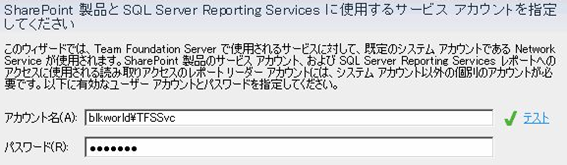
Tfssetup01

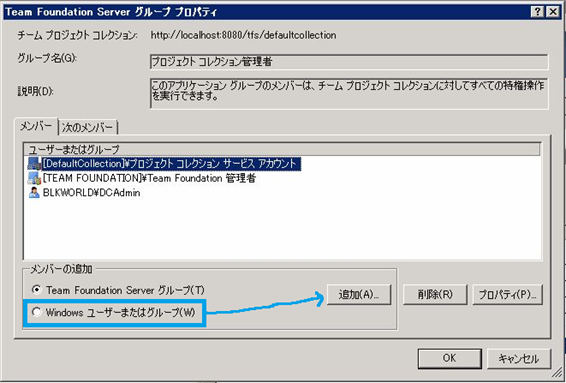
○TFSのグローバルグループにユーザを登録
 Team Foundation管理者にDevAdminを追加します。
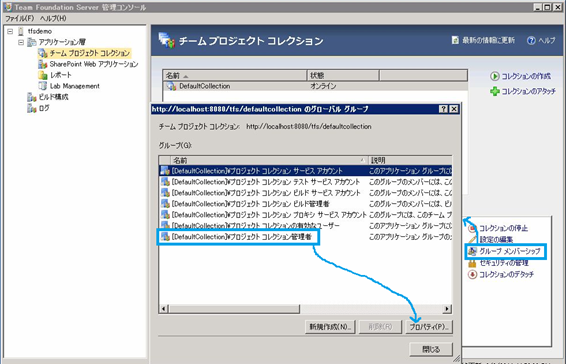
Tfssetup02


Tfssetup03

あとはSharePointとReportingサービスとの格闘(?)がメインです。
セットアップ自体は非常に簡単ですね。

コメントを残す

メールアドレスが公開されることはありません。 が付いている欄は必須項目です

このサイトはスパムを低減するために Akismet を使っています。コメントデータの処理方法の詳細はこちらをご覧ください

This website stores cookies on your computer. These cookies are used to provide a more personalized experience and to track your whereabouts around our website in compliance with the European General Data Protection Regulation. If you decide to to opt-out of any future tracking, a cookie will be setup in your browser to remember this choice for one year.

Accept or Deny